
Changing your profile picture in mobile app
Last updated May 30, 2026
Ready to update your profile picture from your mobile device? This step-by-step guide will walk through updating your profile picture as well as updating the information on your profile.
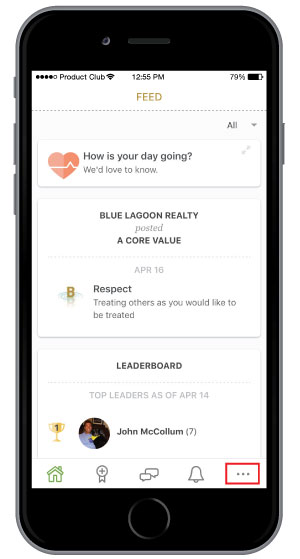
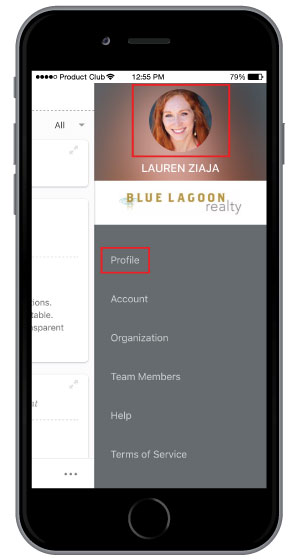
Step 1: Select the more options menu icon in the bottom right-hand corner. To change your profile picture you can select your picture driectly from here or you can select Profile to view your entire profile.
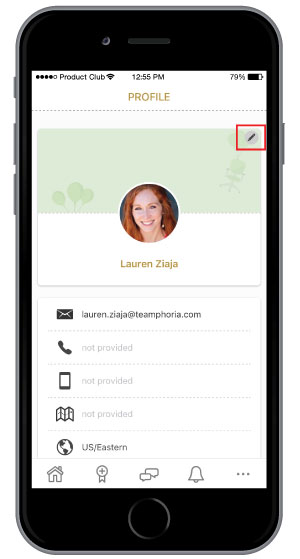
Step 2: If you selected Profile you can select the pencil icon to edit your profile information and picture. You have the option to add a picture saved in your camera roll or take a picture directly from your phone. Once you are finished you can select Save.
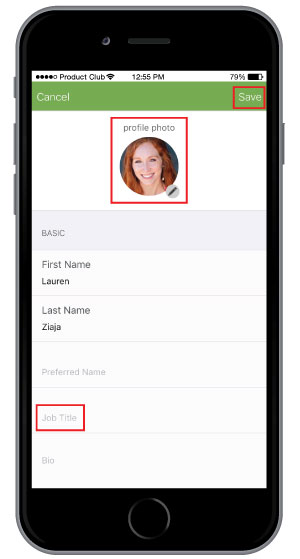
That’s it! You’ve now updated your profile picture and profile information from your mobile device.