
How to download mobile app from Apple store
Last updated May 30, 2026
Ready to start using Teamphoria on the go? This tutorial will walk through downloading the Teamphoria app from the Apple store.
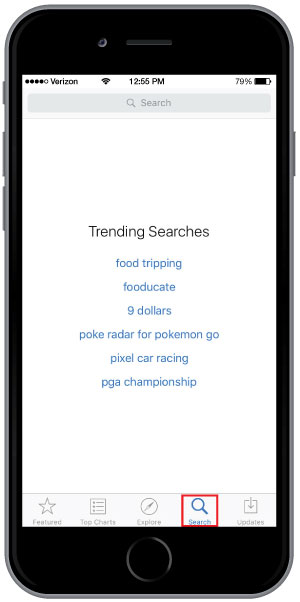
Step 1: Select the App Store icon on your iPhone and then select the search icon.
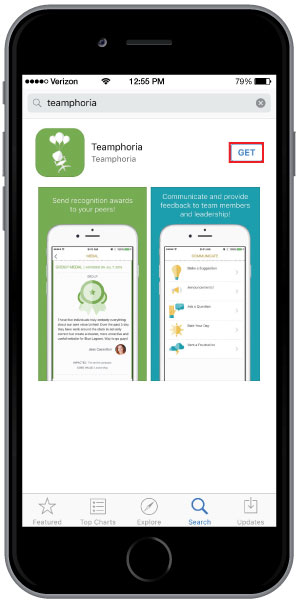
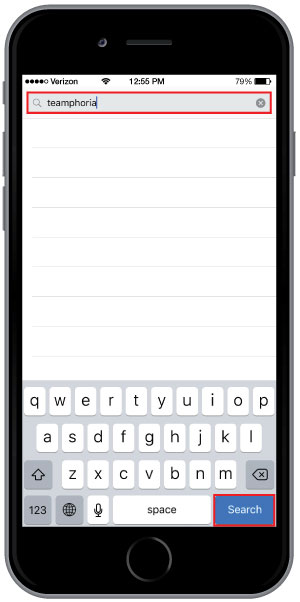
Step 2: Type in Teamphoria in the search bar and select Search. Then select Get to download the Teamphoria app.
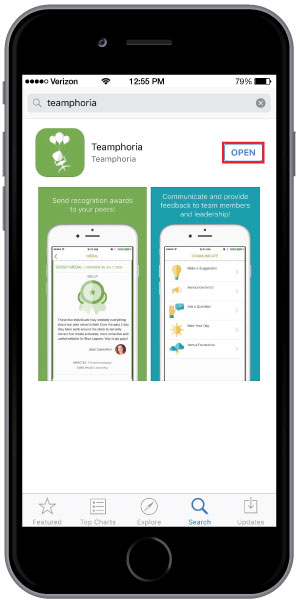
Step 3: Once the app has been downloaded, select Open to be taken to the login page.
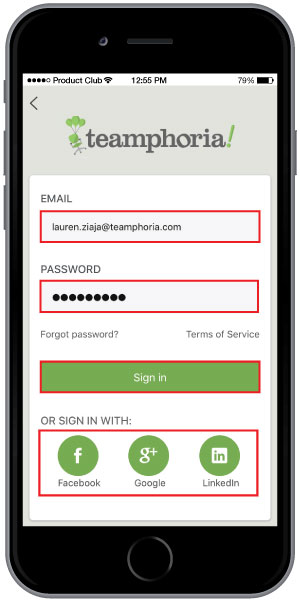
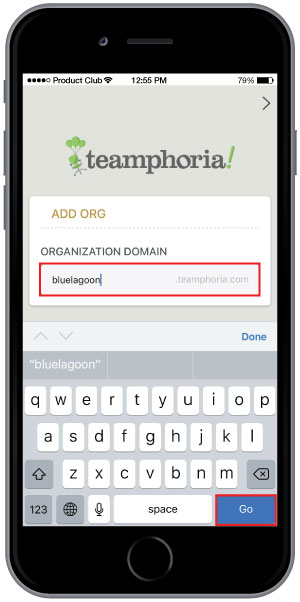
Step 4: Type in your organization’s domain and select Go. Then type in your email address and password and select Sign In. You can also sign in using Facebook, Google, or LinkedIn.
That’s it! You’ve now downloaded the Teamphoria mobile app and signed in. Check out our other mobile app help articles:
Sending recognition in mobile app
Sending communication in mobile app
Viewing the organization page in mobile app
Updating password in mobile app