
How do I change my name in Teamphoria?
Last updated May 30, 2026
Need to update a user's first or last name in Teamphoria? This step-by-step guide will walk through updating a user's display name through their user profile. Either the user can do this themselves, or the administrator can visit the user's profile and follow the same steps.
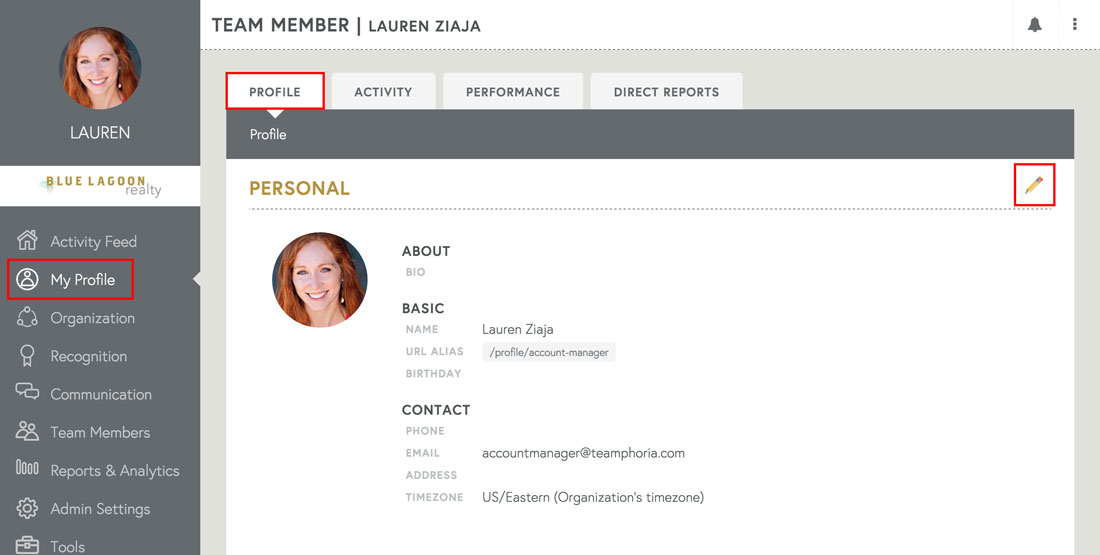
Step 1: Select My Profile in the left-hand side navigation. When on the Profile tab on your user profile, hover over the pencil icon and select the Edit icon.
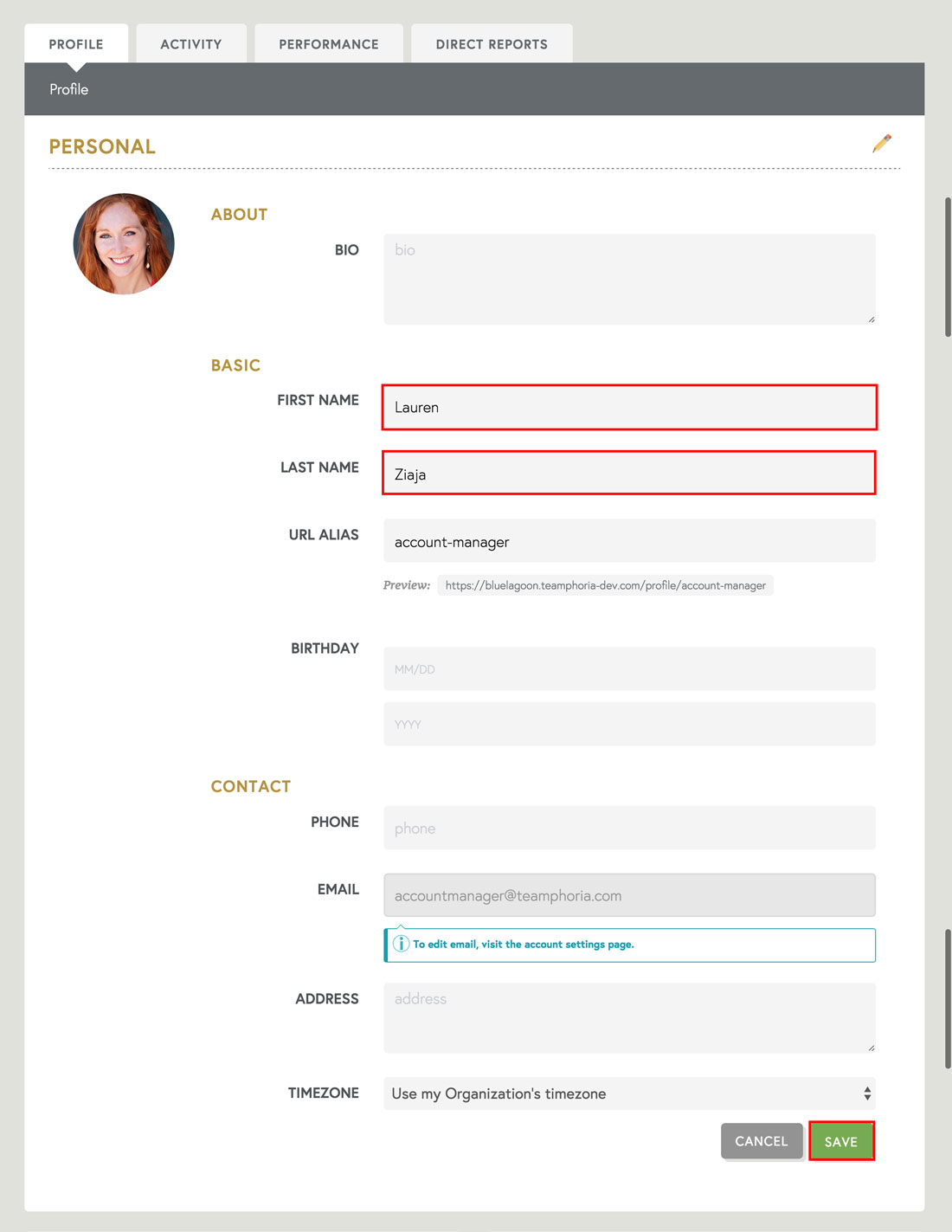
Step 2: Once the Edit view is open you can update your First Name and Last Name , among other information. Then select Save to update your changes.
That's it! You've now updated a user's display name in Teamphoria.